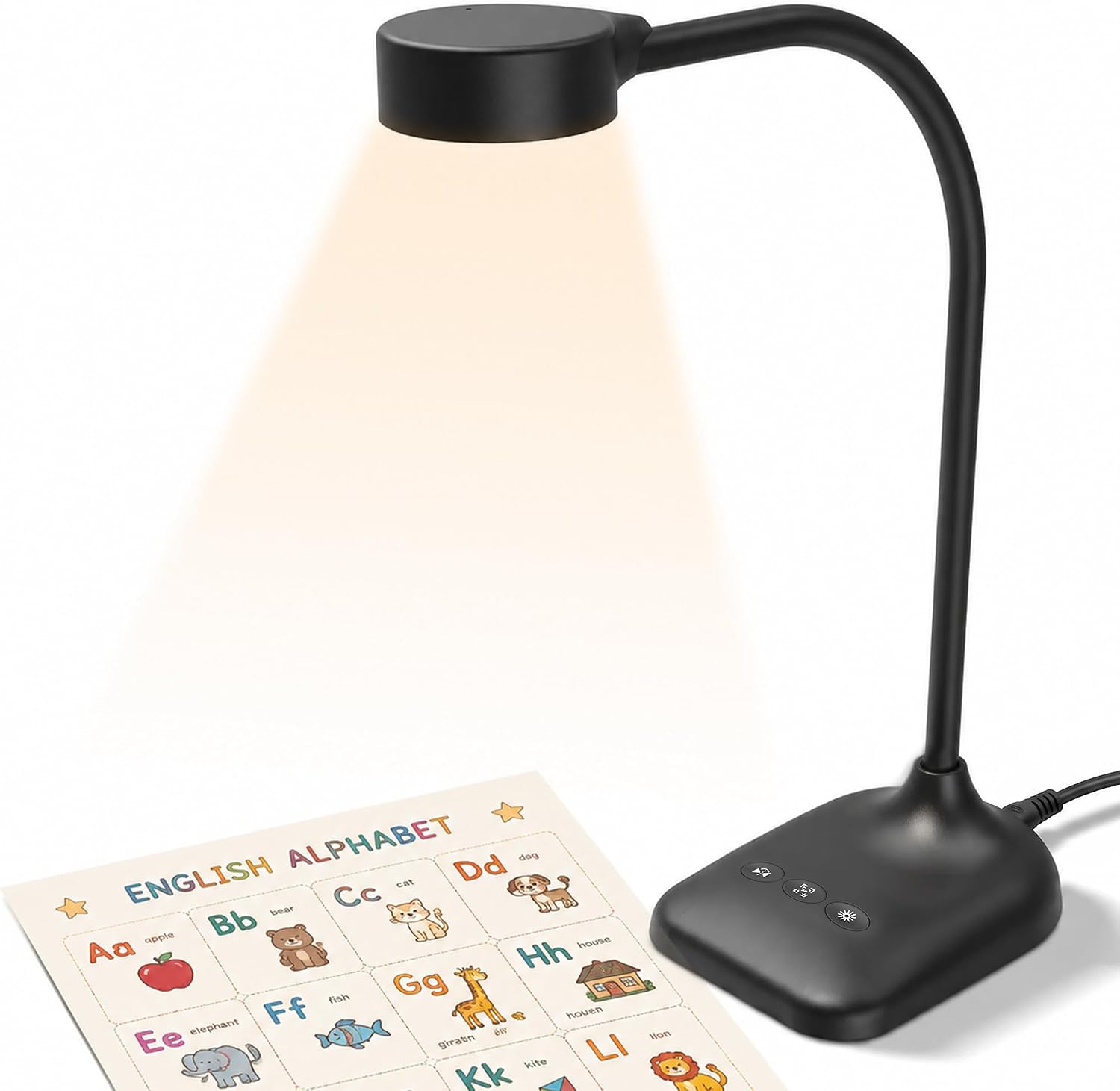
5MP Document Camera for Teachers, Overhead Webcam with Dual Mics, 3-Level LED & A3 Coverage, Image Flip/Rotation, Plug & Play USB for Mac/PC, Zoom/OBS Compatible, for Distance Learning & Live Demo
Disclosure: As an Amazon Associate, we earn from qualifying purchases. This post contains Amazon affiliate links, and we may earn a commission at no extra cost to you.
Share
## Introduction
So, here's the thing—if you're teaching online, doing remote demos, or just trying to show someone exactly what's on your desk without holding your camera at an awkward angle, you know the struggle. Regular webcams are basically useless for close-up work, and those fancy document cameras can cost a small fortune. This 5MP document camera is designed to be the affordable solution that actually works for teachers, presenters, and anyone who needs to share detailed visuals in real-time. I've been testing it for a few weeks now, and I'm genuinely impressed by what you get for under fifty bucks.
## Pros & Cons
- **Crisp image quality** – The 5MP sensor with up to 2592×1944P resolution is legitimately sharp. Whether I'm zooming in on a worksheet or showing off a handwritten document, everything comes through clearly.
- **Plug and play is real** – Honestly, I was skeptical. But I literally plugged in the USB-C cable and it worked instantly with my Mac. No driver nonsense, no complicated setup. Just connected and ready to go.
- **Those LED lights are a game-changer** – The 3-level adjustable lighting is perfect for eliminating shadows and glare. In my home office with weird natural light, this made all the difference for visibility.
- **Flexible positioning** – The gooseneck arm is surprisingly sturdy and lets you angle it exactly how you need. I can position it for overhead shots, angled views, or even flat document scanning.
- **Works with everything** – Zoom, OBS, Teams, Google Meet—you name it. The compatibility across Windows, Mac, and Chromebooks means it'll work regardless of what platform you're using.
- **Image flip feature is handy** – One-button image rotation and mirroring. When you're showing something to a class or client, this simple feature actually saves you headaches.
- **Build quality feels decent** – For the price point, I expected it to feel plasticky, but it's got some heft to it. Doesn't feel like it'll break if you accidentally bump it.
- **The dual mics are honestly just okay** – They work, but they're not anything special. If you're relying on this for audio, you might want a separate microphone for important presentations.
- **Manual ISO adjustment has a learning curve** – The 5-level exposure control is great once you figure it out, but the on-camera buttons are a bit fiddly. I ended up mostly using my software settings instead.
- **A3 coverage is smaller than expected** – Look, it covers standard document size, but if you're trying to capture large posters or artwork, you'll need to position things carefully or take multiple shots.
- **No built-in storage or recording** – You're relying on your computer or streaming software to capture footage. Not really a con for most people, but worth knowing.
## Verdict
If you're a teacher, tutor, or presenter looking for an affordable way to share documents and close-up details online, this camera absolutely delivers. For under $46, you're getting solid build quality, sharp image resolution, and genuine ease of use. It integrates seamlessly with whatever platform you're already using, and the LED lighting ensures you'll look professional even in less-than-ideal lighting conditions.
The only reason I wouldn't give this five stars is that the audio is forgettable and the manual controls could be simpler. But honestly? Those are minor quibbles. This is a legitimate budget option that punches above its weight. I'd recommend it to anyone doing distance learning, online tutoring, or remote presentations. You'll wonder how you ever lived without it.